
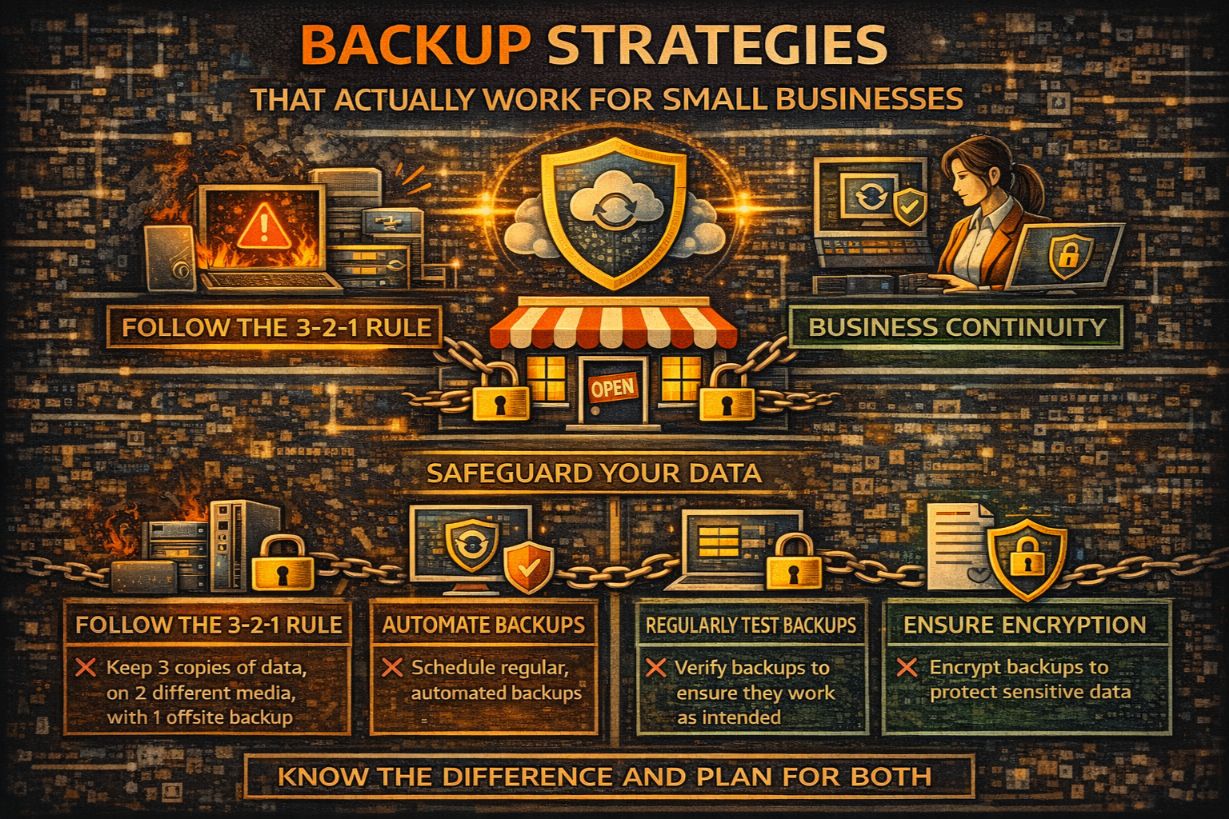
Backup Strategies That Actually Work for Small Businesses
Most small businesses believe backups are their safety net.
Unfortunately, many only discover the truth after an incident:
- Backups are incomplete
- Backups are corrupted
- Backups are inaccessible
- Backups are encrypted along with everything else
Backups don’t fail because technology is bad.
They fail because strategy is missing.
This article explains backup strategies that actually work for small businesses, why common approaches fail, and how SMBs can design backups that survive ransomware, accidents, and real-world chaos.
Why Backups Are the Most Overestimated Security Control
Backups inspire false confidence because:
- They’re invisible when working
- They’re assumed to be automatic
- They’re rarely tested
But during incidents, backups are often:
- Too slow to restore
- Missing critical systems
- Compromised by attackers
A backup that can’t be restored under pressure is not protection.
What Backups Are (And Are Not)
Backups are:
- A recovery mechanism
- A last-resort control
- A component of resilience
Backups are not:
- A security control
- A ransomware defense
- A substitute for incident response
They help after something goes wrong—not before.
The Most Common SMB Backup Failures
1. Backups Connected to Production
Ransomware looks for backups first.
If backups are:
- Always online
- Using the same credentials
- Accessible from compromised systems
They will be encrypted or deleted.
2. No Restore Testing
Many SMBs have never tested:
- Full restores
- Bare-metal restores
- Cloud data recovery
Untested backups are assumptions—not safeguards.
3. Incomplete Coverage
SMBs often back up:
- File servers
But forget:
- SaaS data
- Endpoints
- Cloud applications
Attackers target what you didn’t back up.
4. Slow Recovery Timelines
Backups may exist—but:
- Restores take days
- Dependencies break
- Users can’t work
If RTO exceeds tolerance, backups failed strategically.
5. Single Backup Location
One backup copy = one point of failure.
Natural disasters, account lockouts, or misconfigurations can wipe everything.
The 3-2-1 Backup Rule (And Why SMBs Still Get It Wrong)
The classic rule:
- 3 copies of data
- 2 different media
- 1 offsite copy
Many SMBs technically meet this—but fail operationally.
Why?
- Copies share credentials
- Offsite access is not isolated
- Restores aren’t validated
The rule is necessary—but not sufficient.
What “Ransomware-Resilient” Backups Actually Look Like
Effective backups must survive:
- Credential theft
- Privilege abuse
- Malware execution
That requires isolation.
Immutable Backups
Immutable backups:
- Cannot be modified or deleted
- Even by administrators
- For a defined retention period
This is one of the strongest ransomware defenses available.
Offline or Air-Gapped Copies
Offline backups:
- Are not accessible from production
- Are not continuously connected
Even periodic offline copies add significant protection.
Separate Credentials and Access
Backup systems should:
- Use separate credentials
- Have restricted admin access
- Be monitored independently
Shared credentials destroy isolation.
Backups for Cloud and SaaS: The Hidden Gap
Cloud platforms are not backups.
SMBs often assume:
- “It’s in the cloud—it’s backed up”
Reality:
- Deletions sync
- Ransomware encrypts synced files
- Retention is limited
SaaS data requires separate backup solutions.
Backup Scope: What SMBs Must Include
A real backup strategy covers:
- Servers
- Workstations (where data exists)
- Cloud file storage
- Line-of-business applications
Ignoring endpoints and SaaS is a common failure.
Defining Backup Objectives (RPO and RTO)
Backups must align with business tolerance.
Recovery Point Objective (RPO)
How much data can you lose?
If RPO is:
- 24 hours → daily backups may suffice
- 1 hour → continuous or frequent backups required
Undefined RPO = unlimited loss.
Recovery Time Objective (RTO)
How fast must systems be restored?
If RTO is:
- Hours → hot or rapid recovery required
- Days → slower restores acceptable
Backups that restore too slowly are strategically useless.
Backup Testing: The Step That Separates Hope from Reality
Testing should verify:
- Data integrity
- Restoration speed
- System dependencies
At minimum, SMBs should:
- Test restores quarterly
- Test different systems annually
Testing reveals gaps before incidents—not during them.
Why Backup Success Depends on Documentation
During recovery, you need:
- Restore order
- Credentials
- Dependencies
- Validation steps
Backups without recovery documentation create chaos.
Backup Monitoring: Yes, That’s a Thing
Backups should be monitored for:
- Failures
- Delays
- Storage issues
- Unauthorized access
Silent backup failures are common—and catastrophic.
Backup Strategy vs Backup Product
Many SMBs buy backup tools without strategy.
Tools don’t decide:
- What to back up
- How fast to restore
- What matters first
Strategy comes before software.
Backup and Cyber Insurance
Insurers increasingly require:
- Documented backups
- Isolated storage
- Restore testing
Backup maturity affects:
- Coverage approval
- Claim outcomes
Backups are evidence—not just infrastructure.
Common SMB Backup Myths
- “Cloud = backup”
- “We’ve never needed it”
- “It worked last year”
- “Our MSP handles it”
Assumptions fail during incidents.
How SMBs Should Build Backup Strategy Incrementally
A realistic approach:
- Identify critical systems
- Define RPO/RTO
- Implement isolated backups
- Add immutability
- Test restores
- Document recovery
Each step increases resilience independently.
The Strategic Role of Backups in Incident Response
Backups provide:
- Leverage during ransomware
- Confidence during recovery
- Options when pressure mounts
Without backups, options disappear quickly.
Backups Are a Promise You Must Be Able to Keep
Backups make a promise:
“We can recover.”
If that promise isn’t tested, isolated, and aligned with reality—it’s false reassurance.
For small businesses, backup strategy is not about storage.
It’s about survival under pressure.
Next Steps
To strengthen your backup strategy:
- Audit backup scope
- Test restores
- Implement isolation
- Define RPO/RTO
- Document recovery steps
Hope is not a backup strategy.
Preparation is.